
 YouHired
What Is an ATS Resume? The Complete Guide to Beating the Bots in 2026
YouHired Team
Career & Product Experts
What Is an ATS Resume? The Complete Guide to Beating the Bots in 2026
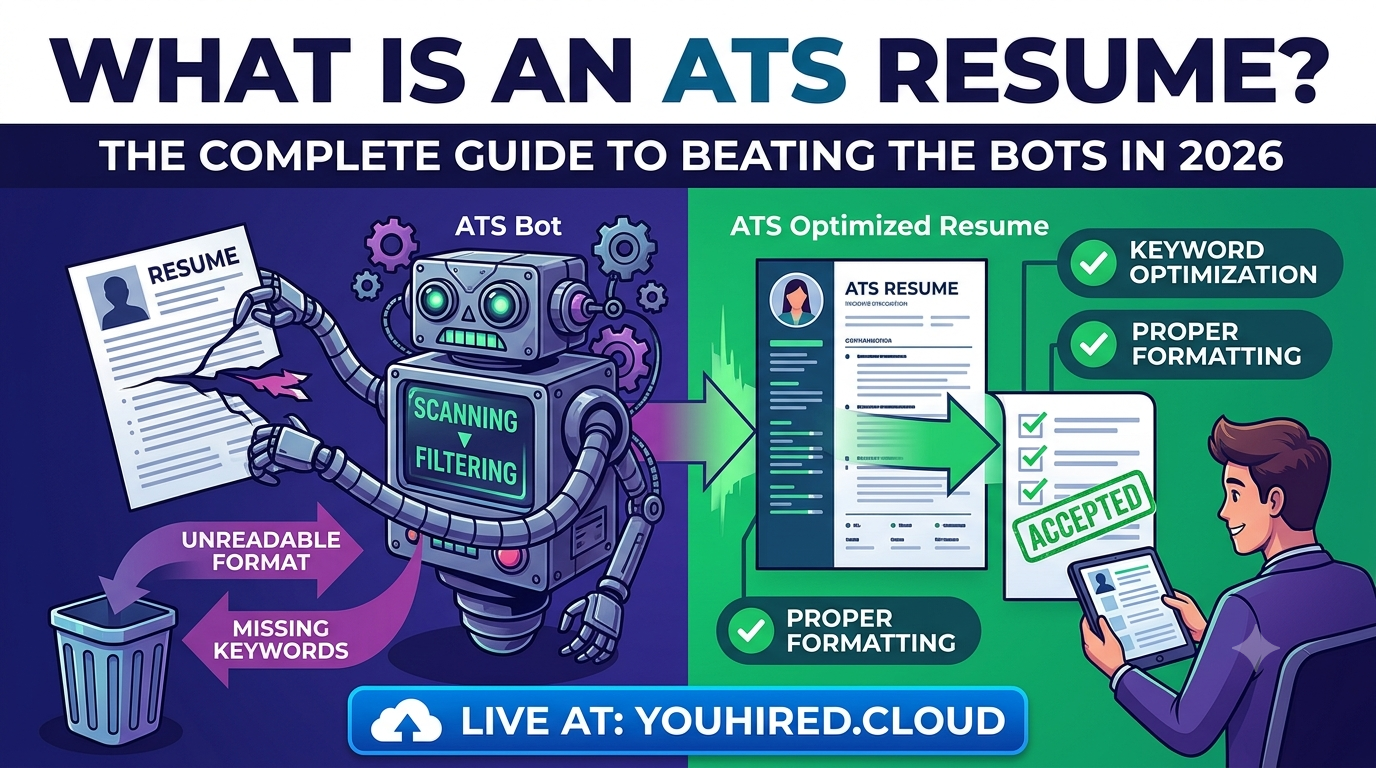
If you've been applying for jobs online and haven't heard back, you might be falling victim to the "black hole" of recruiting. More often than not, it's not a human recruiter rejecting your application—it's a robot.
Welcome to the world of the Applicant Tracking System (ATS). In this guide, we will explain exactly what an ATS resume is, how these bots work, and how you can optimize your resume for 2026 to ensure it lands in front of a real person.
What is an ATS Resume?
An ATS resume is a document specifically formatted to be easily read by Applicant Tracking System software. These systems are used by 99% of Fortune 500 companies to manage the overwhelming volume of job applications they receive.
Think of an ATS as a digital gatekeeper. Its job is to scan, parse, and rank resumes based on how well they match the job description. If your resume isn't ATS-friendly, the software can't read it, meaning you get rejected before a human ever sees your qualifications.
How Do Applicant Tracking Systems Work?
Understanding the mechanics helps you beat the system. Modern ATS (like Taleo, Workday, and Greenhouse) functions in three main stages:
- Parsing: The software extracts text from your resume (PDF or Word) and categorizes it into fields (Contact Info, Experience, Education, Skills).
- Ranking: The ATS compares your parsed data against the job description. It looks for specific keywords, skills, and qualifications.
- Filtering: Resumes that score high on the ranking algorithm are sent to the recruiter. Resumes with low scores or formatting errors are automatically rejected.
The Difference Between a Standard and an ATS Resume
Is there really a difference? Yes. While a standard resume might look beautiful to a human eye with creative columns, icons, and graphics, those same elements look like gibberish to an ATS parser.
An ATS-friendly resume prioritizes text structure and standard headings over complex design. It is clean, simple, and easily digestible by software.
How to Format an ATS Resume for 2026
As we move into 2026, ATS technology is getting smarter, but it still prefers simplicity. Here are the golden rules for formatting:
1. Use the Right File Type
While most modern ATS can parse PDFs, some older systems still struggle with them. The safest bet is usually a .docx (Word) file unless the job description specifically asks for a PDF. If you use a PDF, ensure it is text-based, not an image scanned into a PDF.
2. Stick to Single-Column Layouts
Multi-column layouts confuse parsers. The software reads left-to-right, top-to-bottom. If you have two columns, it might jumble your work history with your skills. Keep it linear.
3. Choose Standard Headings
Don't get cute with section titles. The ATS looks for specific terminology. Use standard headers like:
- Experience (or Work Experience)
- Education
- Skills
- Certifications
- Summary
Avoid creative headings like "My Journey" or "What I Know."
4. Avoid Tables and Text Boxes
Standard ATS parsers often cannot read information inside text boxes or tables. If you use a table to format your contact info or skills, the data might disappear. Keep everything in the main body text.
5. Use Standard Fonts
Stick to web-safe fonts like Arial, Georgia, Helvetica, or Times New Roman. Unique or custom fonts can cause parsing errors.
The Power of Keywords
Keywords are the currency of the ATS. To rank high, your resume must mirror the language used in the job description.
How to Find the Right Keywords
Don't guess. Look at the job description (JD). Highlight hard skills, software names, certifications, and industry terminology mentioned in the JD.
For example, if the JD asks for "Project Management Professional (PMP)" certification, write exactly that on your resume. Don't just write "Certified Project Manager." Exact matches rank higher than partial matches.
Where to Place Keywords
- Professional Summary: A prime spot for your top 3 keywords.
- Skills Section: A dedicated list of hard skills.
- Experience Section: Weave keywords into your bullet points describing past duties.
Common ATS Mistakes to Avoid
Even a qualified candidate gets rejected if they make these technical errors:
- Overusing Graphics: No logos, photos, or charts. The ATS cannot see them.
- Using Special Characters: Avoid heavy use of em-dashes (—) or non-standard bullets. Use standard round bullets.
- Hiding Skills in Images: Sometimes people put skill bars (progress bars) for skills. Since these are images, the ATS reads zero skills.
- Submitting a Corrupt File: Always open your final file on a different device to ensure it didn't break during export.
An Example of an ATS-Friendly Structure
Here is a simplified text structure of how your document should look:
Final Checklist for 2026
Before you hit submit, run your resume through this quick audit:
- Did I save it as a .docx or text-based PDF?
- Are my section headers standard (Experience, Education, Skills)?
- Did I remove all images, charts, and text boxes?
- Did I include exact keywords from the job description?
- Is my contact info in the body of the document, not the header?
- Did I use a clean, single-column font?
Conclusion
Writing an ATS resume doesn't mean you have to submit a boring document. It means you are strategic. By formatting your resume to be machine-readable, you ensure your amazing human qualities actually get seen. Use this guide to optimize your application and beat the bots in 2026.