
 YouHired
Why Is My Resume Rejected by ATS? 7 Common Reasons (And How to Fix Them)
YouHired Team
Career & Product Experts
Why Is My Resume Rejected by ATS? 7 Common Reasons (And How to Fix Them)
You found the perfect job opening. You spent hours polishing your resume, highlighting your achievements, and crafting the perfect cover letter. You hit "submit" and wait for the phone to ring. But days pass, then weeks, and... silence.
It’s a frustrating scenario, but the culprit often isn’t a human recruiter ignoring you. It’s a robot.
Most large companies—and increasingly smaller ones—use Applicant Tracking Systems (ATS) to filter the hundreds of applications they receive for every open position. In fact, estimates suggest that 75% of resumes are never seen by human eyes. If your resume isn't optimized for these bots, it ends up in the digital rejection pile, regardless of how qualified you are.
Here are the seven most common reasons your resume is rejected by ATS and exactly how to fix them.
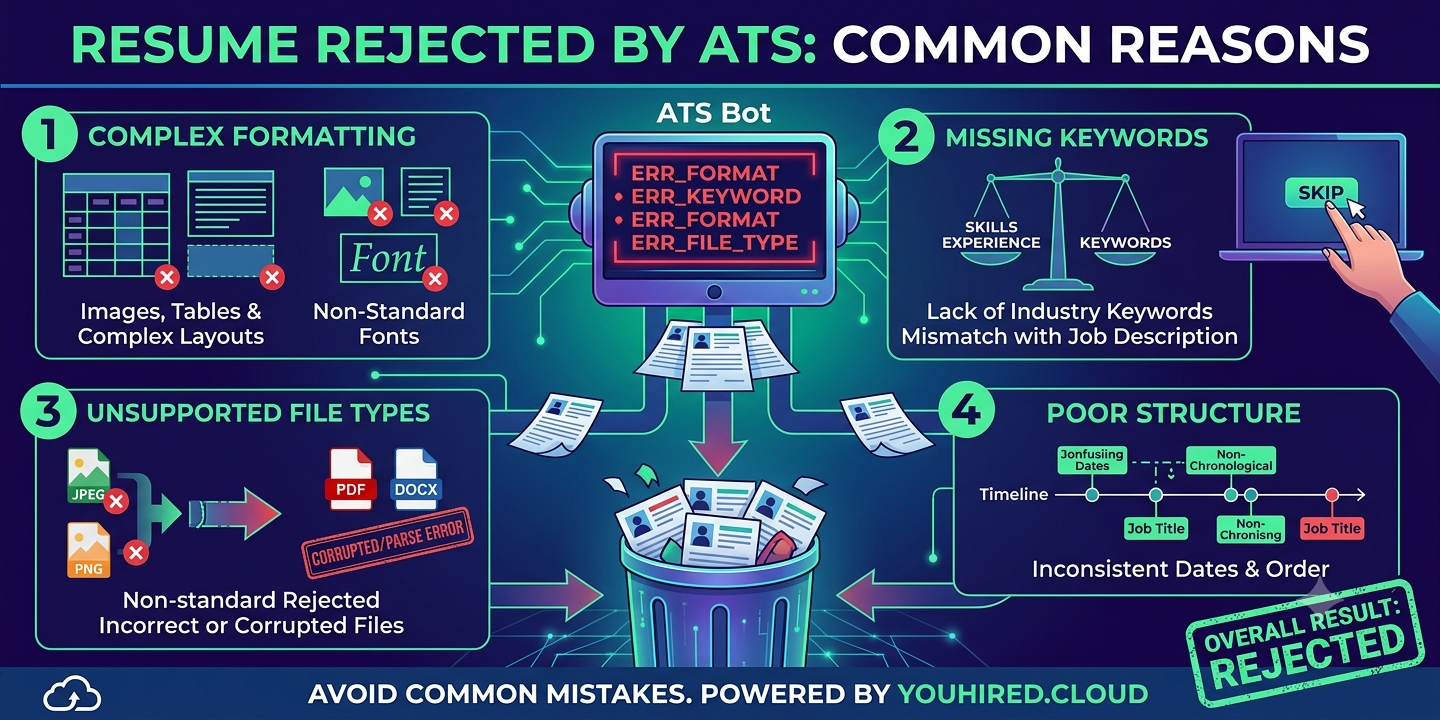
1. Poor File Format
The most immediate way to get rejected is through the wrong file type. Older ATS software struggles to read certain formats.
- The Problem: You uploaded your resume as a JPG, PNG, or even a complex PDF with embedded graphics that the parser can't read.
- The Fix: Unless the job description explicitly asks for a specific format, stick to the basics. A .docx (Word Document) is universally the safest bet. While modern PDFs are often readable, simple text-based PDFs are acceptable, but avoid PDFs generated from image scans.
2. Overly Complex Formatting
You might think a two-column resume with creative borders looks professional, but an ATS sees it as a jumbled mess.
- The Problem: The ATS reads from left to right, top to bottom. If you use columns, tables, or text boxes, the bot may read your contact info in the middle of your work history or skip sections entirely.
- The Fix: Keep the layout standard and single-column. Use a clean, hierarchical structure with standard headings. Avoid using tables or graphics to organize text. Simplicity wins here.
3. Lack of Keywords
This is the #1 reason for rejection. The ATS ranks resumes based on how many keywords match the job description.
- The Problem: You used generic terms like "hard worker" or "team player" instead of the specific skills required for the job. For example, if the job asks for "Project Management Software" and you only list "Asana," you might miss the match.
- The Fix: Tailor your resume for every application. Analyze the job description and weave the exact phrases and terminology used by the employer into your Skills and Summary sections.
For example, if the job description says:
Your skills section should explicitly list:
4. Non-Standard Section Headings
Recruiters like creativity, but algorithms do not. The ATS relies on specific headers to categorize your data.
- The>The Problem: You used creative headings like "My Journey," "What I Know," or "Past Adventures" instead of standard labels.
- The Fix: Use standard, ATS-friendly headings. The bot is trained to look for:
- Experience
- Education
- Skills
- Certifications
- Contact Info
5. Including Images or Graphics
Your professional headshot might look great on a LinkedIn profile, but it has no place on a resume submitted to an ATS.
- The Problem: ATS software cannot read images. This includes photos, logos of previous companies, and charts showing your skill level. At best, the bot ignores them; at worst, it causes parsing errors that garble your text.
- The Fix: Remove all images and graphics. Focus on strong, action-oriented text to convey your brand.
6. Spelling Errors and Abbreviations
Attention to detail is critical. If the bot is confused by your spelling, you lose points.
- The Problem: If the job description requires "Bachelor of Science" and you write "B.S.", the system might not recognize the match. Similarly, misspelled words can break keyword matching.
- The Fix: Spell out abbreviations the first time you use them (e.g., "Search Engine Optimization (SEO)"). This covers both bases—you match the acronym search and the full-text search. Proofread relentlessly.
7. Using Special Characters
Sometimes, it’s the technical details that trip you up.
- The Problem: Using non-standard characters like bullets with unique shapes, lines, or vertical bars can confuse the parser, turning your text into garbled code (e.g., •).
- The Fix: Use standard, simple characters. Stick to a standard圆点 (round bullet point) or hyphens for lists. Avoid using em-dashes, smart quotes, or fancy section dividers.
Conclusion: Beat the Bots
Getting rejected by an ATS is discouraging, but it is usually a technical fix rather than a reflection of your worth as a candidate. By simplifying your formatting, using the right keywords, and sticking to standard conventions, you can transform your resume into a robot-passable document.
Once you get past the ATS and land the interview, then you can let your personality and creativity shine. Happy job hunting!